Book Recommendation – Western Authors


Checkouts are limited to 20 items total with a maximum of 5 DVDs, audiobooks, and magazines.
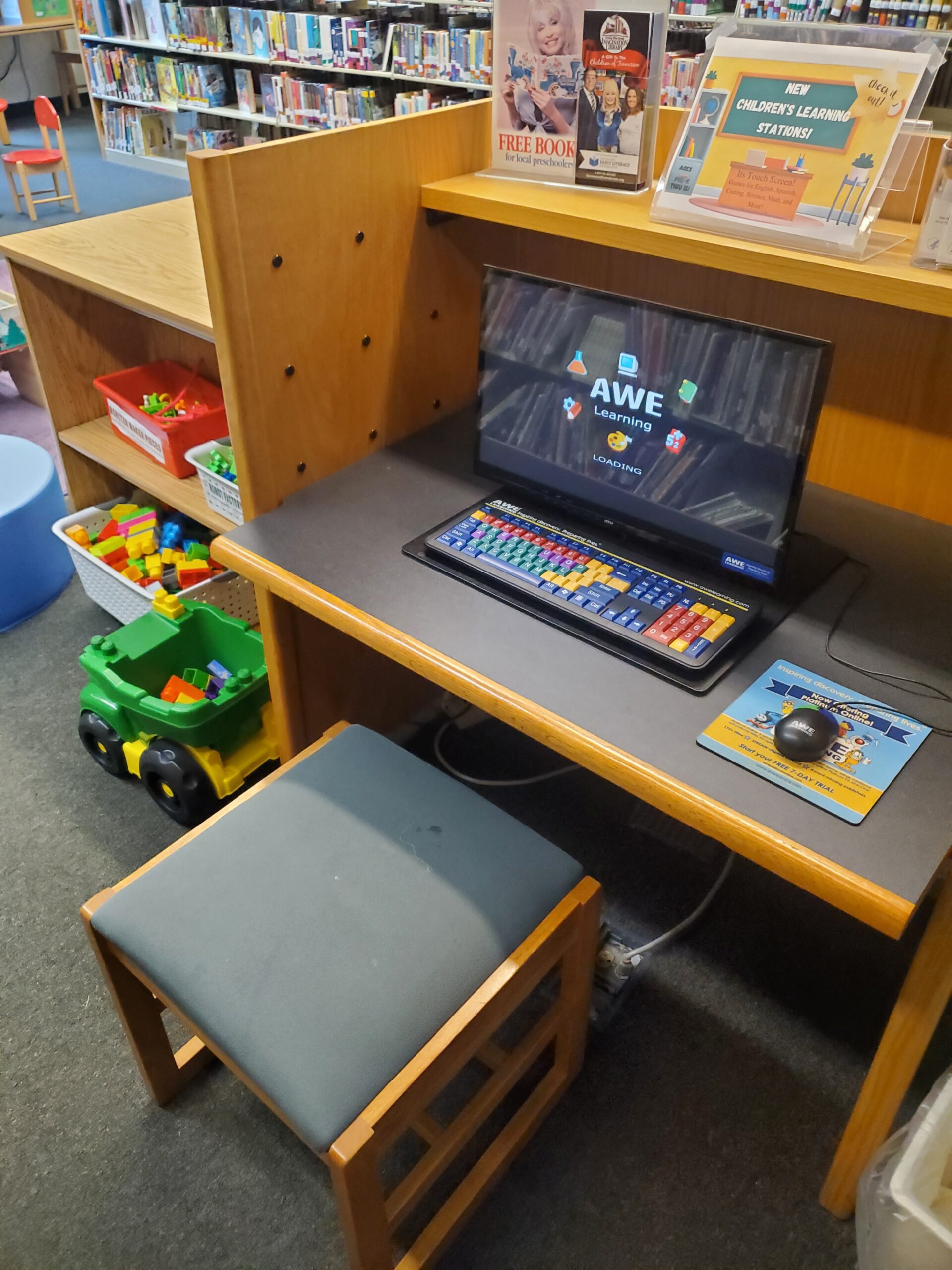
The library is pleased to offer computers for the public. We will be happy to assist you as time permits. You must present your library card or a valid ID.
Please reserve items no later than one business day prior to pick-up. Once in the parking lot, call 423-745-7782 for curbside service.
A $0.50 service fee will be added to all card transactions. Minimum credit or debit transaction is $1.00 not counting the service fee.
You may place an item on hold from our collection. Patrons receive three free holds, additional holds cost $1.00 per item per day. Please place all holds at least one business day prior to expected pick-up. You may also now place a hold on an item through our Online Catalog.
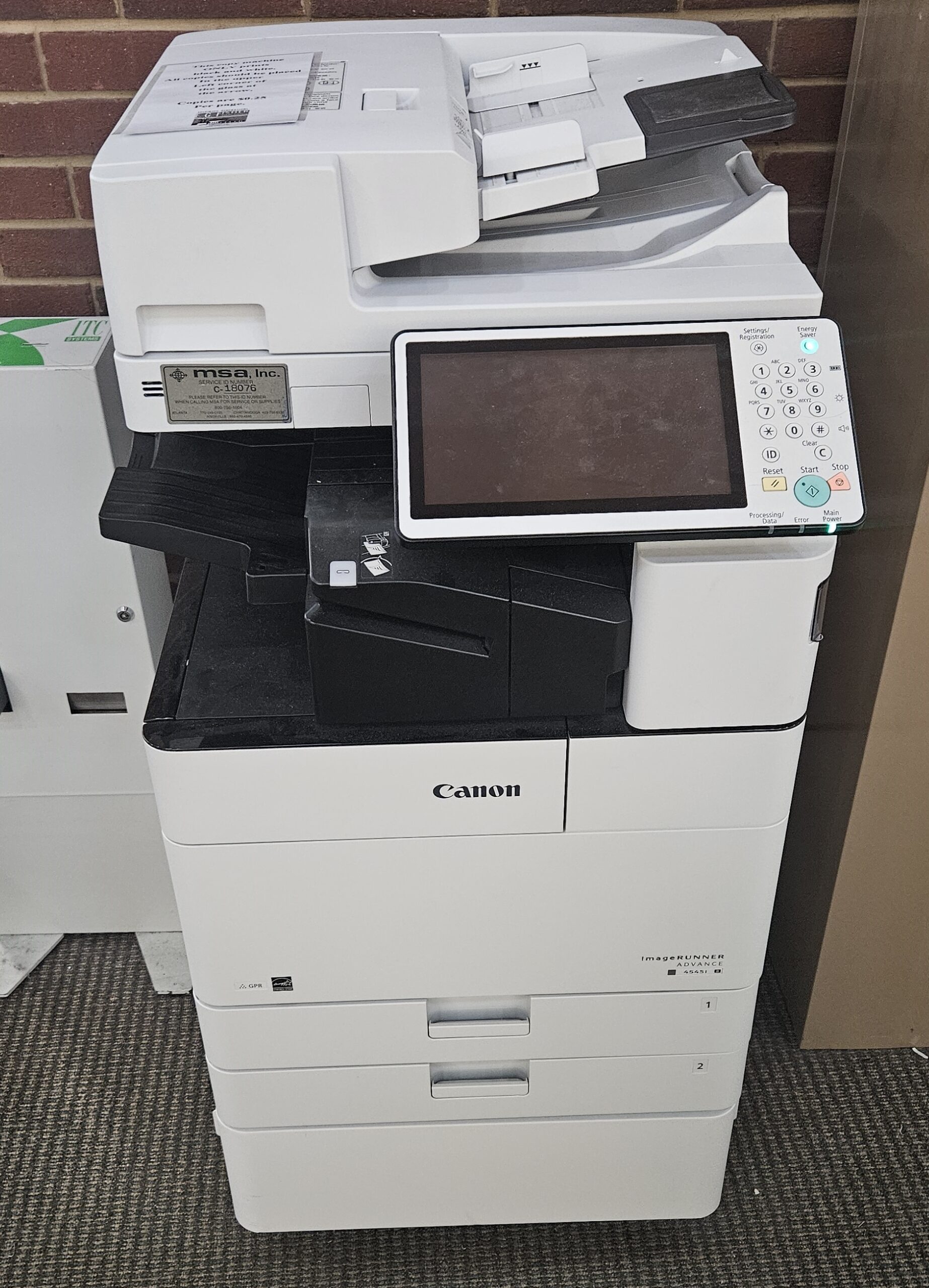
We have a coin-operated copier for the public to use. Costs of printing and copying are $0.25 for black and white per page and $0.50 for color per page. We offer fax services as well. It is $1.00 per page to send a fax and $1.00 per page to receive a fax. Our fax number is 423-745-1763.
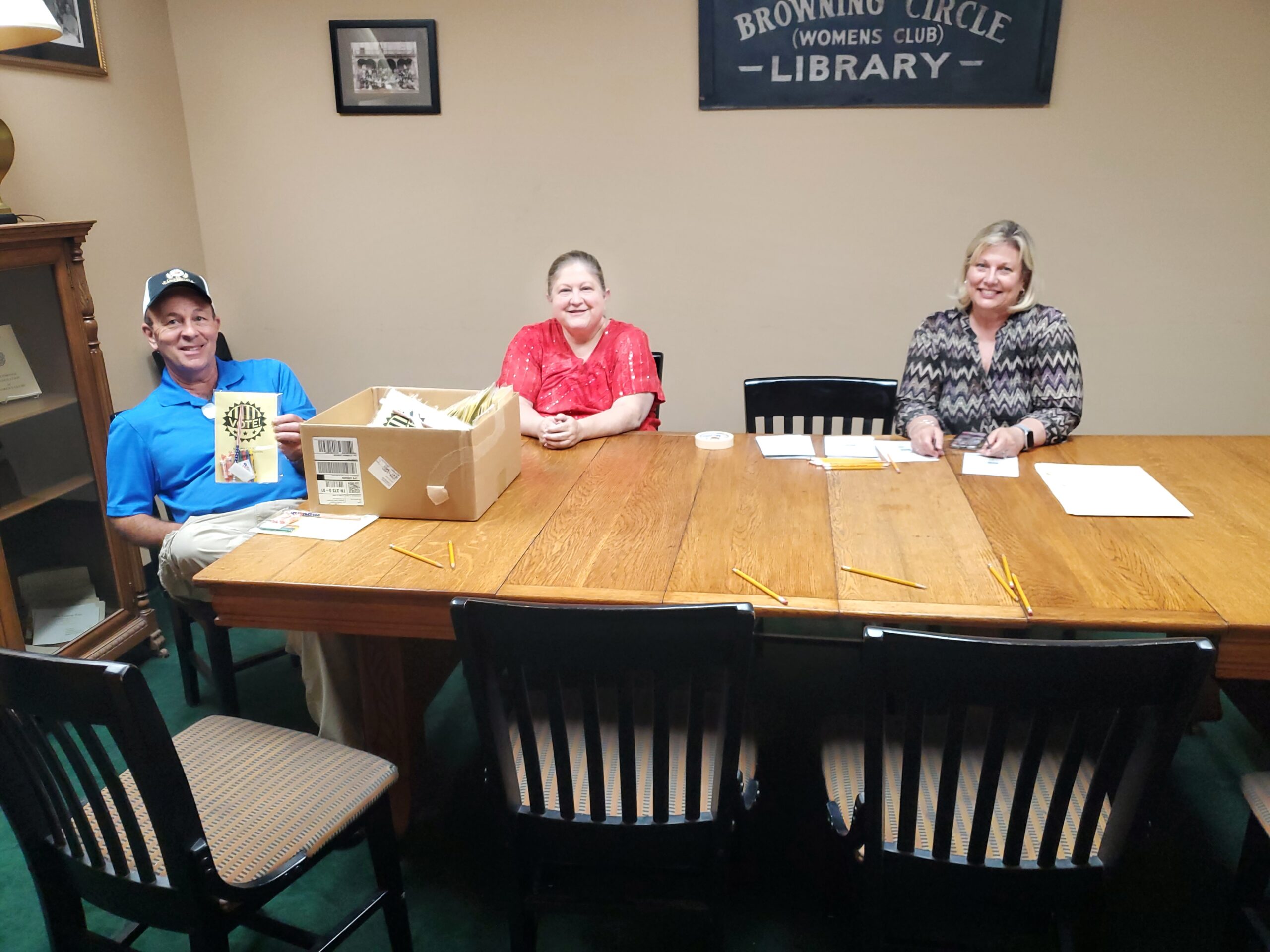
Our board room is free for groups of 12 and under. Reservations may be made no more than TWO WEEKS in advance. No food or drinks are permitted in the board room. Care must be taken to leave the Board Room clean when the meeting is over. IMPORTANT: A protective cover must be used on the table if any crafts ( cutting, pasting, etc.) take place.
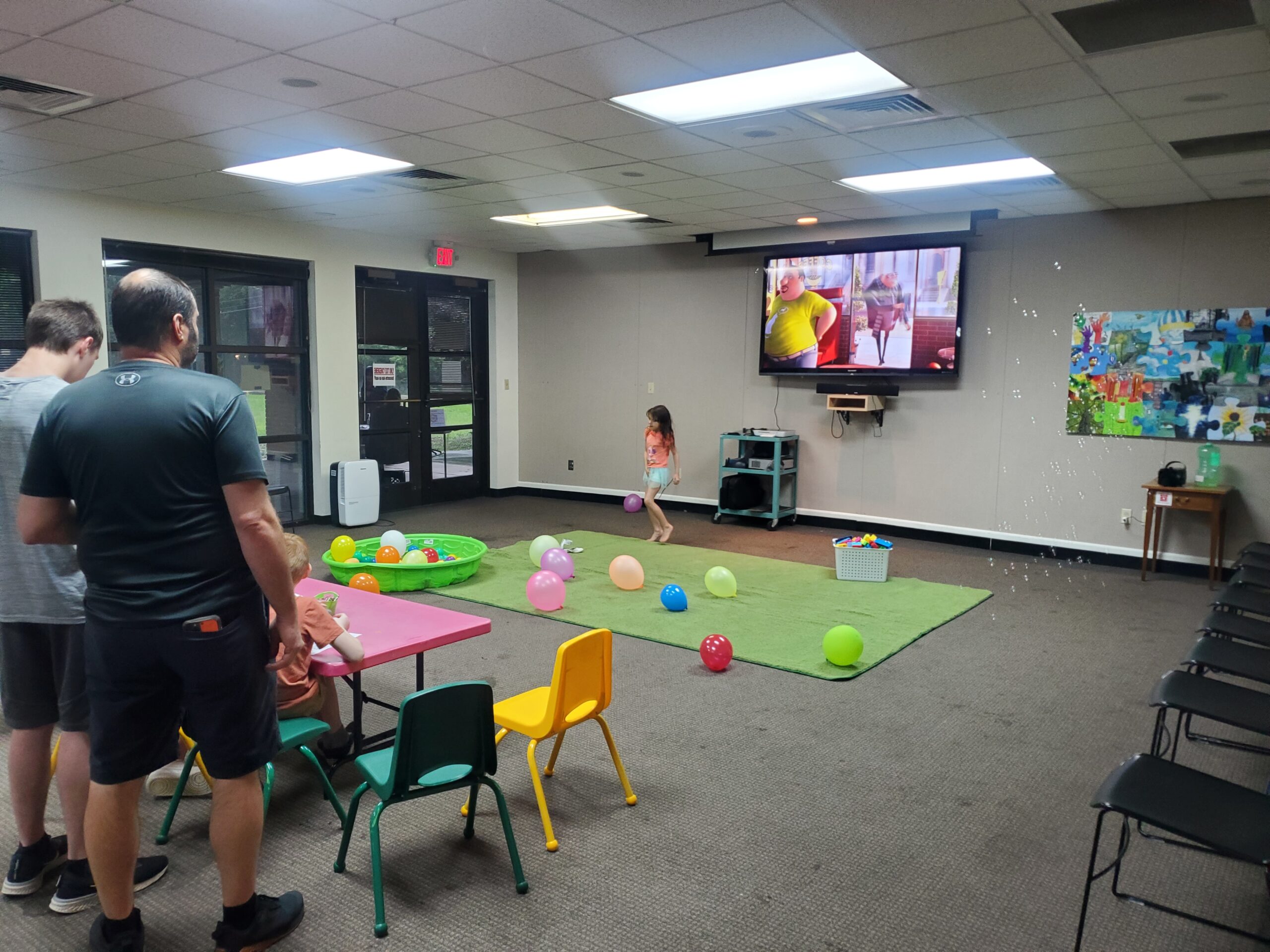
General Rules for the Community Room:
1. Meeting rooms may be reserved by individuals, businesses, government agencies, and non-profits for private or public events.
2. Sales may not be conducted on the premises without prior approval from the Library Director.
3. Tobacco products may not be consumed inside the library or within 25 feet of entrances and exits. Alcoholic beverages may not be consumed on the Library premises.
4. Flammable materials are prohibited (i.e. candles, incense, light strips, etc.)
5. Reservations are not allowed outside of library operating hours.
6. All reservations must end 30 minutes before the library’s closing time. Groups should complete clean up and exit the room by this time. Groups should notify the front desk when leaving the room.
7. All payments for meeting rooms are non-refundable.
8. Each organization is responsible for setting up and putting away chairs and tables. (There are approximately 50 chairs and 12 tables).
9. Food and beverages are allowed in the community room. Avoid staining drinks i.e. Red Kool-Aid and other red drinks. No food or beverages are allowed in the Board Room.
10. Leave meeting room clean, free of trash in the condition it is found: trash picked up, spills cleaned up.
11. Coffee pot, microwave, refrigerator, and stove are available in the kitchen for Community Room rentals. Dishes and party supplies are not provided. Surfaces and equipment should be left clean.
12. All audio-visual needs should be planned for at least 7 days prior to the event and specified as part of the rental agreement. The primary contact person will be shown how to use the equipment. Any damages will be the responsibility of the lessee.
13. Meetings of large groups which may disturb or interfere with the general use of the library will not be booked.
14. No governmental agencies (local, state, or federal) shall be charged unless they are charging an admittance fee.
15. Individuals renting or attending events in meeting rooms are subject to E.G> Fisher Public Library’s Code of Conduct. Failure to comply with the Code of Conduct may result in temporary bans from meeting room use.
16. Any usage of library space must be made within the context of local, state, or federal laws or regulations. Access may not be denied on the basis of race, religion, sex, age, national origin, or physical or mental disability.
17. Patrons renting meeting spaces are responsible for ensuring the maximum room capacity is observed.
18. Library programs and meetings have first priority for room reservations.
Monday, Tuesday, Thursday: 9:30 AM – 8:00 PM
Wednesday, Friday: 9:30 AM -5:30 PM
Saturday: 9:30 AM – 5:00 PM
Closed Sundays and first Wednesday of the Month
1289 Ingleside Avenue Athens, TN 37303
(423) 745-7782
Discover the gateway to knowledge, entertainment, and community engagement by obtaining your library card today. Join us in exploring a world of endless learning opportunities.


Applicants must be at least 5 years old to receive their own library account.
A valid government-issued photo I.D. is required for all applicants.
Provide proof of current mailing address, such as official mail or printed checks.
For applicants under 18, a parent or legal guardian must sign the registration card.
Non-residents of McMinn County may pay a $10 annual fee for library privileges.
Lost cards can be replaced for a $4.00 fee.
Apply over the phone for curbside services by calling 423-745-7782.
Renew your card yearly with a valid I.D. to keep your information current.
Prepare a valid government-issued photo I.D. and proof of your current mailing address.
Decide whether to apply in person at the library or to start the process online.
To start the process online, click the above button and read all the information before filling out the form.
To apply in person, bring your needed documents to the front desk.
Library cards need to be renewed annually to keep your information current. To renew, visit the circulation desk with your valid government-issued photo I.D. Juvenile cardholders must be accompanied by a parent or legal guardian with proper identification. This ensures continued access to our resources and services.
Teachers from ACS and MCS residing outside the county can renew their cards for free, with employment verification required each year. Stay connected with your library by keeping your card active and up-to-date.
Discover the essentials of obtaining and using your library card with these frequently asked questions.
Residents of McMinn County can receive a library card at no cost. Non-residents may obtain a card for an annual fee of $10. Teachers from ACS and MCS residing outside the county can receive a free library card.
To register for a library card, please bring a valid government-issued photo ID and proof of your current mailing address.
Yes, children aged 5 and older can have their own library accounts. A parent or legal guardian must sign the registration card for those under 18.
Library cards are renewed annually. Bring a valid photo ID to the circulation desk to update your information.
Replacement library cards are available for a fee of $4.00. Visit the library to obtain a new card.
Unlock a world of knowledge and resources by applying for your library card. Whether you’re a resident or visiting from outside the county, our library offers a wealth of materials and services to enrich your life. Don’t wait—apply today and start exploring!
The patron must check out using their own library card. Patrons receiving a first-time library card may check out only 2 items when the card is issued. You must present your library card to check out any items. In order to checkout materials, patron account and linked household accounts must be in good standing, requiring the household to not have outstanding fine balance equal to or exceeding $1.00 or unpaid lost items. Library accounts must be renewed annually at which time a valid photo ID will need to be presented to library staff for adult accounts. Juvenile patrons may renew accounts without photo ID.
20
3 weeks
$0.20/day
5
3 weeks
$0.20/day
5
3 weeks
$0.20/day
5
1 week
$1.00/day
1
1 week
$1.00/day
4
1 week
$2.00/day
1
1 week
$2.00/day
1
1 week
$2.00/day
1
1 week
$2.00/day
1/year
1 week
$2.00/day
You can renew borrowed items up to two times, provided there are no holds on them. Renewals can be done conveniently over the phone by providing your library card number, or through your online OPAC account. Please note that new adult fiction, adult non-fiction, chromebooks, hotspots, and tablets can be renewed only once. Inter-library loans, Sports Equipment, Experience Passes, and STEM/Memory Kits are not eligible for renewal.
To ensure a seamless return process, patrons can utilize the book drop located to the left of the library’s front entrance for most borrowed items. For laptops, hotspots, kids tablets, STEM/memory kits, and sports equipment, please return these directly to the circulation desk to ensure proper handling. Additionally, an indoor book drop is available at the front desk for convenience. All returned items undergo a thorough sanitization process to maintain a safe environment for all library users.
Patrons can place holds on desired items by contacting the library at 423-745-7782, using their OPAC online account, or visiting the library in person. Each patron is entitled to five complimentary holds at any one time. A $1 fee per item will be assessed for any additional holds. For added convenience, holds can be collected via curbside pickup by calling from the library parking lot, or they can be picked up at the circulation desk during regular hours. To ensure availability, please place holds at least one business day before the intended pickup date.
Our library is committed to maintaining a comprehensive collection for all patrons. If an item is lost or damaged, the patron is responsible for the full replacement cost. Should the lost item be found and returned in good condition within two months, the replacement cost will be refunded minus a $10 processing fee.
Item damage is determined at the discretion of the Library Director and/or Circulation Manager. $5 fee will be applies to repairable damage to materials. Technology repairs are based on actual repair costs. All library items determined or suspected to be impacted specifically by pest infestations will be treated as damaged items under the library’s Circulation Policy and will either be treated or discarded at the Library Director’s discretion. Any material returned by a patron which shows evidence of live or dead bugs will result in immediate suspension of Library privileges for that patron and any patrons in the same residence. Suspension will be lifted after the patron presents proof that the residence has been successfully treated for and eradicated of the bugs in question by a licensed and accredited pest control company.
The parent/guardian signing for the juvenile card accepts financial responsibility for the child’s materials. Ask the front desk about the process for partial payments toward lost/damaged items. Refunds will only be issued to the parent/guardian who signed for the juvenile account. Parents/guardians who did not sign for account may receive refund if they present the receipt for the item payment.
Overdue alerts will go out at 7 days overdue, 14 days overdue, and 21 days overdue. First and second notice will be via email. Third notices will be via postal mail. At 30 days the item will be switched to lost.
To borrow equipment such as technology devices, STEM/memory kits, or sports equipment from our library, patrons must have a history of borrowing materials for at least one month. This policy ensures responsible usage and availability for all patrons. Overdue returns of equipment are subject to strict penalties, including suspension of borrowing privileges for six months after three late returns.
To borrow Experience Passes from our library, patrons must have a history of borrowing materials for at least one month. This policy ensures responsible usage and availability for all patrons. Overdue returns of Experience Passes are subject to strict penalties, including suspension of borrowing privileges for six months after three late returns.
In order to preserve E.G. Fisher Public Library’s relationships with lending libraries, the loss, damage, or late return of three InterLibrary Loan items will result in a six month ban from accessing InterLibrary Loans.
Visit us today or explore our online catalog to dive into a world of knowledge and entertainment. Whether you’re looking for the latest bestsellers, educational resources, or exciting new technology to borrow, our library has something for everyone. Don’t miss out on the opportunity to enrich your life with our diverse collection.
Unlock a world of knowledge with our new catalog/patron system, designed to enhance your library journey.
Our new Atriuum system makes exploring the library easier and more exciting! With a sleek design and handy features, OPAC lets you quickly find, reserve, and enjoy your favorite books, materials, and digital materials—all with just a few clicks.
Atriuum makes it simple and fun to explore a world of stories and information! With easy-to-use tools and personalized recommendations, you can discover new books and authors effortlessly. We’re here to inspire a lifelong love of reading and learning in our community.

Access the library’s catalog and your account from any device, anywhere. Quickly find books, e-books, and other resources
Receive and create tailored book suggestions and lists based on your reading history and preferences.
Easily reserve and manage your book checkouts online with just a few clicks.
Explore our fun KidzViz graphical interface, designed specifically for younger patrons! With simple, visual navigation, kids can find books by selecting categories like Transportation → Water → Boats.
Log on to your account. Enter your library card number and password to log in. First time logging on, your password will be USERPASS.
Once logged in, you will be directed to your personal dashboard where you can view your history, overdues, items due soon, items outs, items ready for pick up, and items reserved.
From your dashboard, you can renew books, place holds on new titles, view fines, manage lists, set up notifications, and update your personal information as needed.
If you’ve forgotten your password, click on ‘Forgot Password’ on the login page. Follow the instructions to reset it via your registered email.
Yes, our system is mobile-friendly. Simply visit our website on your phone’s browser and log in as usual. You can also download the Librista app from your app store for easy access.
To view your borrowing history, go to the ‘History’ tab in your account dashboard. Here, you can see a record of your past checkouts and returns.
To manage your history:
You can choose to disable history tracking, which will stop your history from appearing on your dashboard. If you’d like to remove all past records, select ‘Clear History’ under the ‘History’ tab.
⚠️ Important: Once your history is cleared, it cannot be recovered.
Use the search bar on the homepage of the catalog to enter a title, author, or keyword. You can refine your results using filters like format, genre, or availability.
When you click on an item in the OPAC, you’ll find a wealth of helpful information, including:
This detailed view helps you make informed decisions and discover more materials to enjoy!
Log in to your account, find the item in the catalog, and click the ‘Reserve’ button. You’ll receive a notification when the item is ready for pickup.
Log in to your account and navigate to the ‘Items Out’ or ‘Overdue’ section of your dashboard. Select the items you want to renew and click ‘Renew.’ Note that some items may not be eligible for renewal.
Yes! Our system makes it easy to create and organize personalized reading lists. Here’s how:
Saving Items to Your List:
While searching the catalog, you can click ‘Save for Later’ on any item. This automatically adds the item to a list called ‘Uncategorized.’ Once you’ve saved an item, the button will change to say ‘View List.’ Clicking this will take you directly to your saved list.
Viewing Your Lists:
To access all your saved items, go to your dashboard and select the ‘My Lists’ tab. Everything you’ve saved will appear in the ‘Uncategorized’ list.
Creating and Managing Multiple Lists:
To create custom lists (e.g., “To Be Read” or “Cozy Thrillers”), go to the ‘My Lists’ page and click the ‘Add List’ button at the top of the screen. You can give your new list a unique name. Note that the ‘Uncategorized’ list cannot be renamed or deleted.
Organizing Items in Your Lists:
From the ‘Uncategorized’ list, click the three vertical dots next to any item to open a menu. This allows you to:
Placing Holds from Your Lists:
You can reserve items directly from your lists! Just click the ‘Reserve’ button beneath the item you want to place on hold.
With these features, you can organize your reading goals, track favorite genres, and easily manage your library materials!
The “Watching” tab allows you to save and track books, authors, subjects, or series you’re interested in, so you’ll be notified when new materials matching your criteria are added to the catalog. Here’s how to set it up:
Once a new item that matches your criteria is added to circulation, you’ll receive a notification letting you know it’s available!
Yes, there are borrowing limits for both physical and digital items:
Additional Rules:
Contact the library immediately to report a lost card. We will assist you in securing your account and issuing a replacement card.
(423) 745 – 7782