FAQs

When are you open?

We are open Monday through Saturday. Monday, Tuesday, and Thursday we are open from 9:30 am to 8:00 pm. Wednesday and Friday we are open from 9:30 am to 5:30 pm. Saturday we are open from 9:30 am to 5:00 pm. We are closed Sundays and the first Wednesday of the month. Don’t forget to check our website and Facebook page for important updates.


Does the library print and make copies?

Yes, we can print and make copies. We have a public copier that takes quarters, and we have a private printer that can print, fax, and make copies.


How much does it cost to print, make copies, or fax?
It is $0.25 per printed-side page for black and white, $0.50 per printed-side page for color, and $1.00 per page to send and receive a fax.


Does the library have internet?
Yes, we have free public Wi-Fi that can be used inside the library, outside on the patio, and even the parking lot.


Can anyone use the library and get on a computer?
Everyone is welcome to visit our library, read our books in the library, and use the table spaces. To use a computer, you will need either your library card in good standing or a valid ID. 

How do I get a card?

Bring in a piece of mail with your current address and a valid ID.

Do I have to live in McMinn County to get a card?

No!

How much does it cost to get a card?

For McMinn County residents, it is free! For out of county, the cost is $10.00 per year.


How many items can I checkout?
You can check out a maximum of 20 items combined at one time. Magazines, audio books, and DVDs have a 5 per card limit. Video games, Hotspots, Chromebooks, Playaway Tablets, STEM/Memory Kits, and Experience Passes have a 1 per card limit. Sports Equipment has a 4 per card limit. Other rules may apply.


What is the loan time for materials?
Books, magazines, and audio books are checked out for 3 weeks. DVDs, Video games, Hotspots, Chromebooks, Playaway Tablets, Stem/Memory Kits, Sports Equipment are checked out for 1 week. Experience Passes vary on check out period depending on the pass type.


How much are fines for late materials?
Books, audio books, and magazines are $0.20 per day overdue. DVDs and Video games are $1.00 per day overdue. Hotspots, Chromebooks, Playaway Tablets, Stem/Memory Kits, Sports Equipment, and Experience Passes are $2.00 per day overdue.


How do I request materials that are not located at E. G. Fisher Library?
You can request materials that are not located at our library either by filling out an interlibrary loan request form online or requesting an interlibrary loan through the phone or at the counter with one of our library clerks. You can put 5 requests in at a time. You can also check Tennessee Reads to see if the book is available as an eBook or audio book through Libby/Overdrive.


Who can use the interlibrary loan services?
Patrons of our E.G. Fisher Public Library can use the interlibrary loan services.


Is there a fee for interlibrary loan services?
It does not cost to request material from other libraries using the interlibrary loan program. This is a free service provided by the State of Tennessee.


Will I be notified when my interlibrary loan reserve arrives?
We will call you when we have received the requested material. Once we receive it, we can hold it for one week before we must return it.

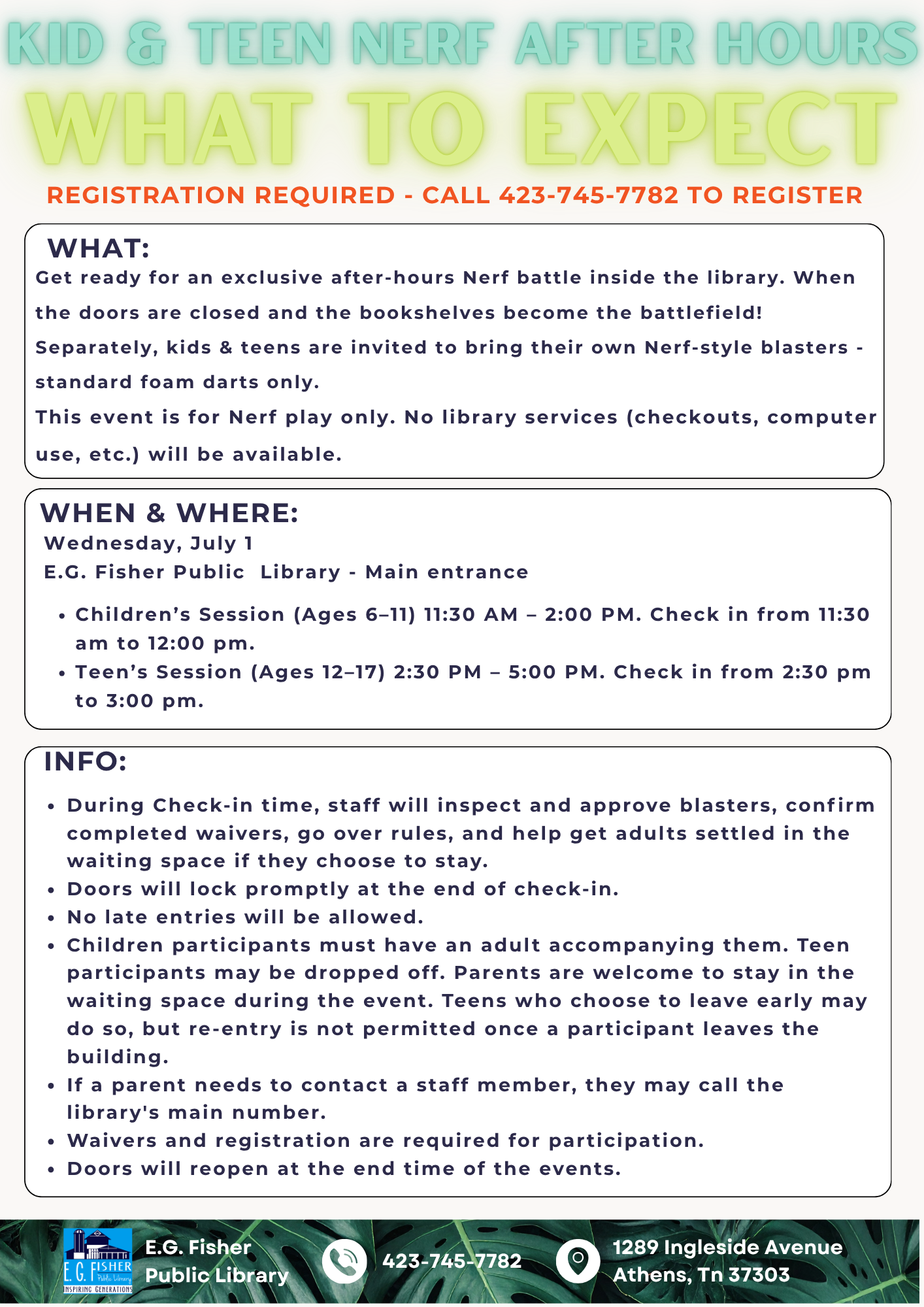
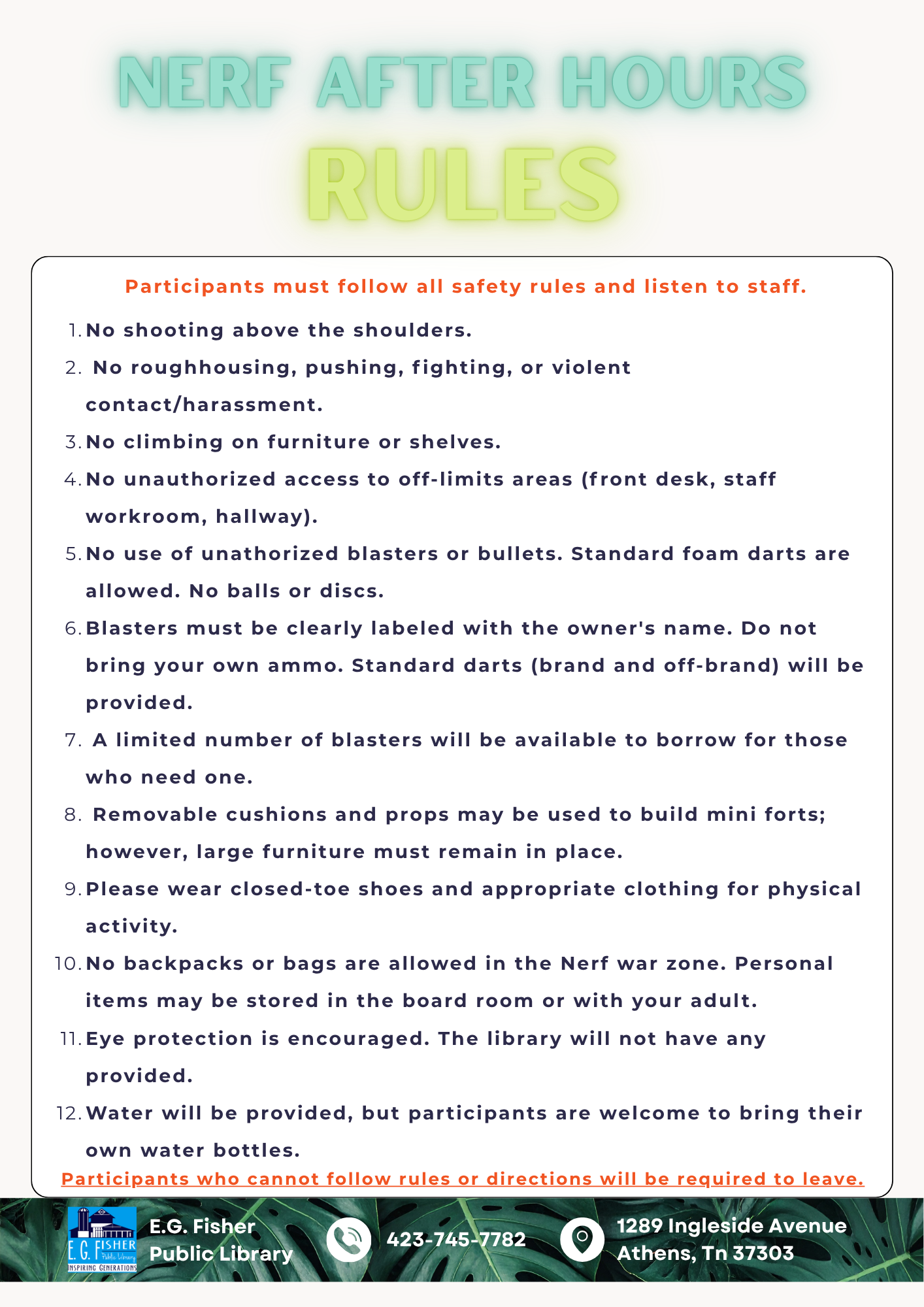
Do you have programs?

We do! Check our website under “Programs,” our Facebook page, or give us a call!

What is the cost of your programs?

Free!


How do I renew books?

To renew books or other material you can call us at 423-745-7782 or renew in person.


What can I do if a book I want is already checked out?
If there is a item you are wanting but it is already checked out by another patron, you can put the item on hold. To put the item on hold you can either do it over the phone, in person, online, or by downloading and using the Librista app.

 
How do I put an item on hold online?
To put an item on hold online, log on to our Atriuum’s OPAC online catalog or by using the Librista app. If it is your first time logging in, enter USERPASS as the password. Afterwards, you can create a new password. Then you will search for the item you are wanting in the search bar. Once you locate the item, click “Reserve”.


Can you see my checkout history?

We can only see what patrons have checked out currently or connected with any fines. If you want to keep track of the materials you have completed, we recommend keeping track online in our Attrium’s OPAC catalog or by using the Librista app. Go to “your account,” then “checkout history,” then click “activate history.”

How do I make an account on Librista, the library app?

Download Librista from your App store. When logging in, the username will be your library card number. For your first time, your password will be USERPASS. You can then change your password. From here, you can explore your account. You can use the Librista app to see what items you have checked out, place holds, and renew items from home. Keep in mind if you have any fines on your account, you will not be able to renew your materials or place holds.


How do I check out a hotspot?

Hotspots are free to check-out and provided by East Tennessee Foundation and the TOPS grant. To checkout a hotspot, you must be 18 years or older and your household account must be in good standing. New cards are ineligible for the first month. If we do not have any available at the counter, you can be added to the wait list. We will notify you when one is ready for pickup. Once a hotspot becomes available to check out, you will need to bring your library card. If it is your first time checking one out, you will need photo ID and will need to fill out an out-of-house equipment form.


How do I check out a Chromebook laptop?

Chromebooks are free to check-out and provided by the Tennessee Community CARES grant. To checkout a Chromebook, you must be 18 years or older and your account must be in good standing. New cards are ineligible for the first month. If we do not have any Chromebooks available at the counter, you can be added to the wait list. We will notify you when one is ready for pickup. Once a Chromebook becomes available to check out, you will need to bring your library card. If it is your first time checking one out, you will need photo ID and will need to fill out an out-of-house equipment form.


Do you offer audio books and eBooks?

We have audio book CDs available to  check out in person in the library. We also are linked with Libby which allows you to use your library card to have access to online audio books and eBooks.

Do you rent golf clubs?

We do! Rentals are for 24 hours with a maximum of 4 clubs per card (balls included). There is a little course over at Prof Powers Park a couple of blocks away. Ask at the front desk for directions. Don’t forget to check out the other sporting equipment we have including pickleball! 

What are the Wetlands behind the library?

The Oostanala Creek has flooding problems. The Wetlands were created to help alleviate those problems by creating a place for the storm water run off to go and providing a natural habitat that allows wildlife to flourish.

Did the library used to be a barn?

No. It was built as a library in 1997.

How do I support the library?

You can volunteer or donate to our PayPal.

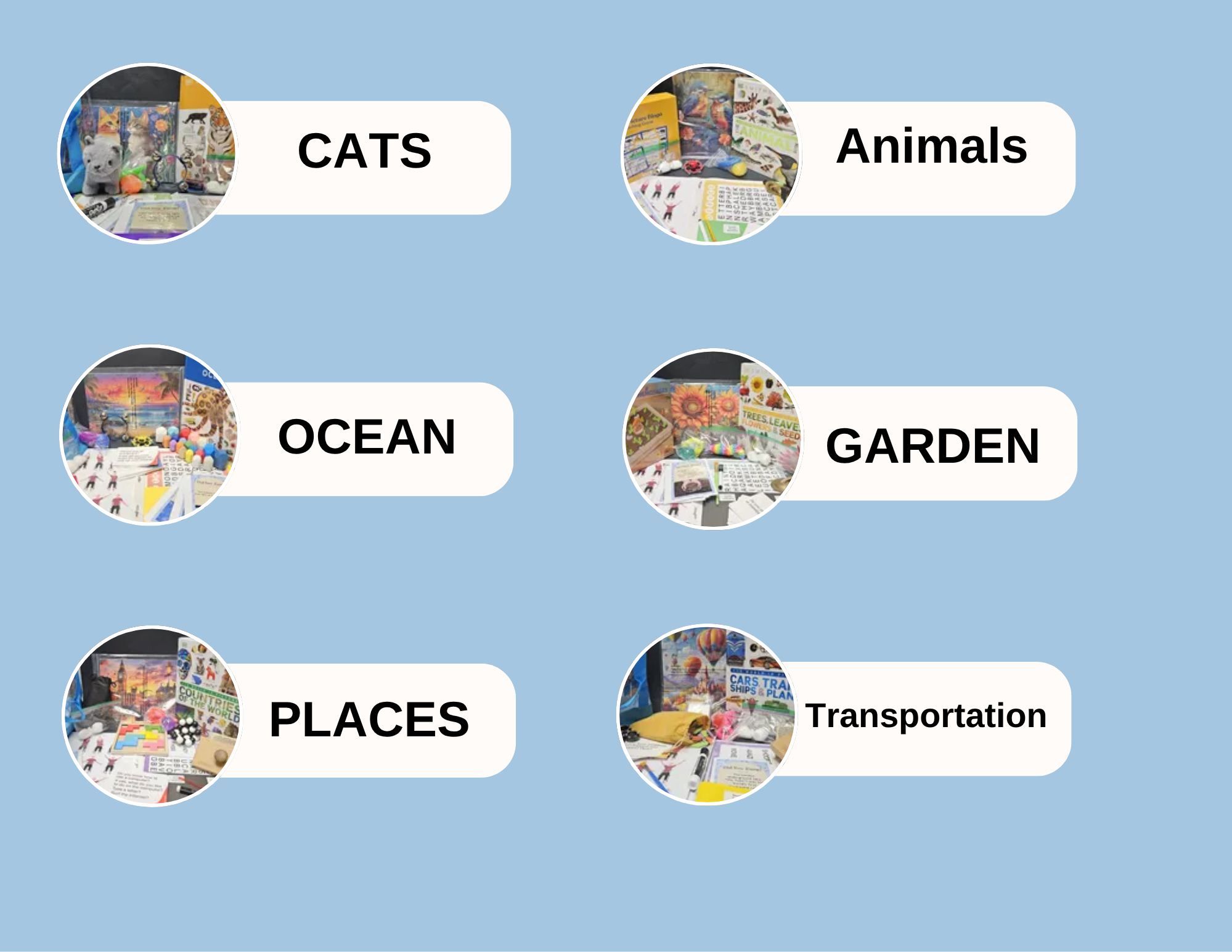
Mindful Moment Kits

Mindful Moment Kits

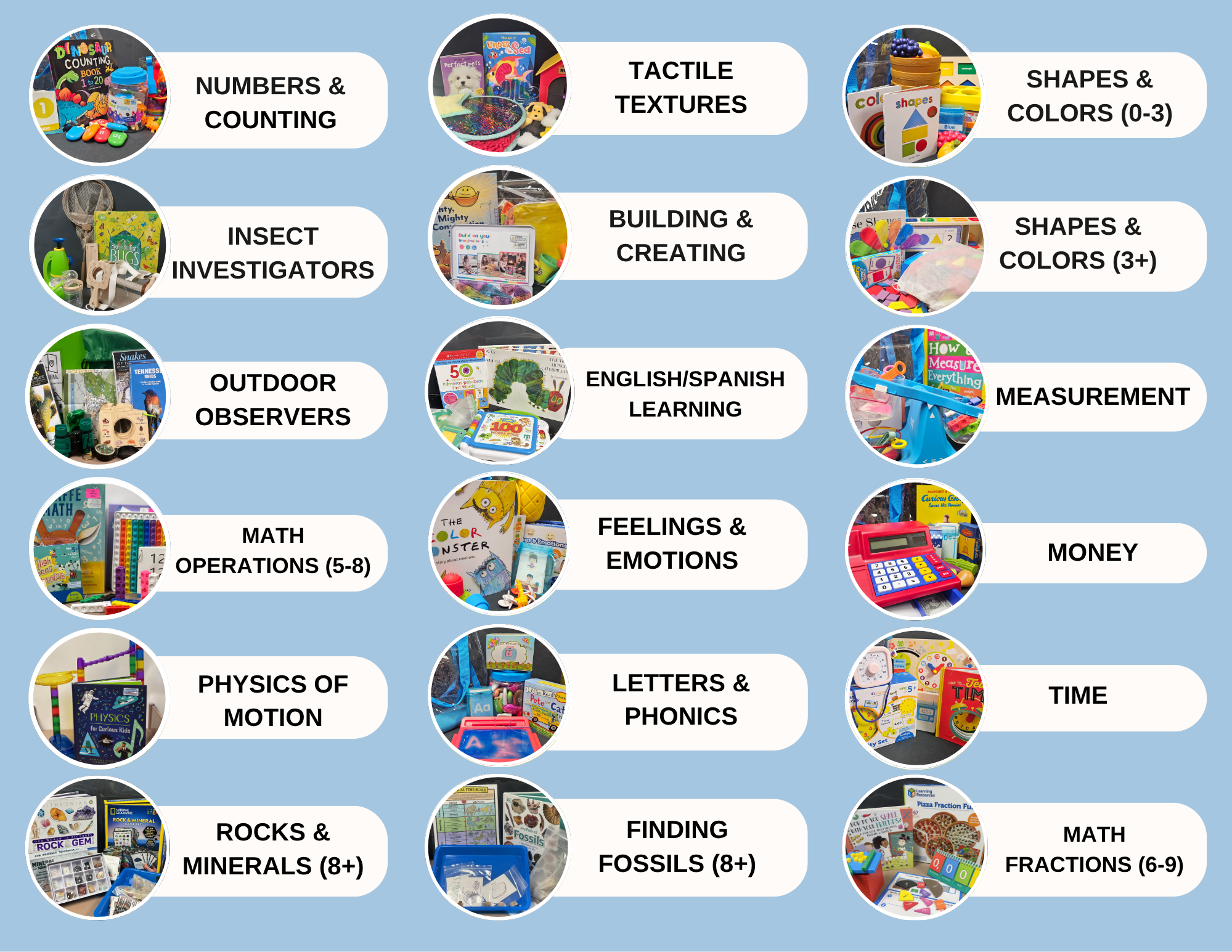
Mindful Moment Kits are themed, take-home enrichment kits designed to promote learning, creativity, and cognitive wellness for all ages. Our collection includes STEM Kits for children and Memory Kits for adults and seniors, bringing engaging educational experiences beyond the library.

 Notice: Mindful Moment Kit reserves and renewals are not permitted. Borrowers must be 18+.  Kits must be returned to E.G. Fisher Public Library by due date or late fees will apply. 

Choking Hazard: Kits may contain small parts that present a choking hazard. Adult supervision is required when used by young children.

What is a STEM Kit?

Library STEM kits are themed, take-home educational packages designed to encourage hands-on learning at home. These kits often contain a combination of themed items to explore various subjects

What is a Memory Kit?

Library Memory Kits are themed, take-home enrichment packages designed to encourage cognitive stimulation, memory recall, and meaningful engagement at home. These kits contain a variety of themed activities and materials that promote conversation, problem-solving, sensory exploration, and lifelong learning.

Who can check out a kit?

Patrons 18+ with a library card in good standing active for at least one month.

How can I check out a kit?

Available at the front desk on a first-come, first-served basis with your library card.

How many kits can I check out?

One kit at a time.

How long can I keep a kit?

Kits are checked out for 1 week.

Can I renew a kit?

No, kits cannot be renewed.

Are there late fees?

Yes, $2.00 per day if returned late.

What if a Kit is lost or damaged?

You may be responsible for replacement costs of missing or damaged components.

How do I find available Kits?

Visit our display, check our online catalog, or call us.

Will more Kits be added?

Yes! We’re always expanding our Mindful Moment Kits program.

Our Stem Kits:

Our Memory Kits:

Ask Your Question

Call Us

423-745-7782

Check Out a Kit Today !

Room Reservations

Board Room

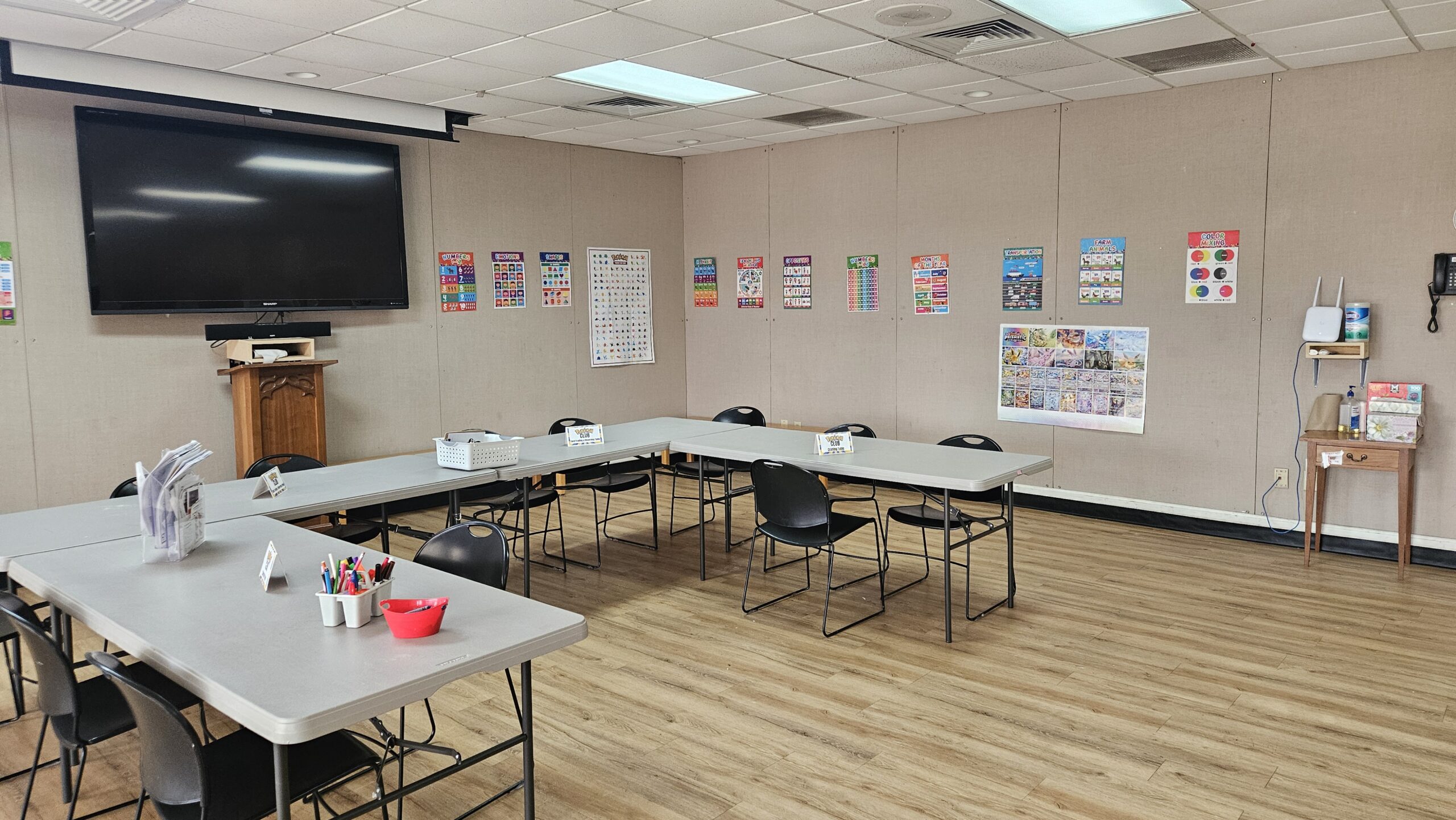
Community Room 

General Rules for Room Reservations:

1. Meeting rooms may be reserved by individuals, businesses, government agencies, and non-profits for private or public events.
2. Sales may not be conducted on the premises without prior approval from the Library Director.
3. Tobacco products may not be consumed inside the library or within 25 feet of entrances and exits. Alcoholic beverages may not be consumed on the Library premises.
4. Flammable materials are prohibited (i.e. candles, incense, light strips, etc.)
5. Reservations are not allowed outside of library operating hours.
6. All reservations must end 30 minutes before the library’s closing time. Groups should complete clean up and exit the room by this time. Groups should notify the front desk when leaving the room.
7. All payments for meeting rooms are non-refundable.
8. Each organization is responsible for setting up and putting away chairs and tables. (There are approximately 50 chairs and 12 tables).
9. Food and beverages are allowed in the community room. Avoid staining drinks i.e. Red Kool-Aid and other red drinks. No food or beverages are allowed in the Board Room.
10. Leave meeting room clean, free of trash in the condition it is found: trash picked up, spills cleaned up.
11. Coffee pot, microwave, refrigerator, and stove are available in the kitchen for Community Room rentals. Dishes and party supplies are not provided. Surfaces and equipment should be left clean.
12. All audio-visual needs should be planned for at least 7 days prior to the event and specified as part of the rental agreement. The primary contact person will be shown how to use the equipment. Any damages will be the responsibility of the lessee.
13. Meetings of large groups which may disturb or interfere with the general use of the library will not be booked.
14. No governmental agencies (local, state, or federal) shall be charged unless they are charging an admittance fee.
15. Individuals renting or attending events in meeting rooms are subject to E.G. Fisher Public Library’s Code of Conduct. Failure to comply with the Code of Conduct may result in temporary bans from meeting room use.
16. Any usage of library space must be made within the context of local, state, or federal laws or regulations. Access may not be denied on the basis of race, religion, sex, age, national origin, or physical or mental disability.
17. Patrons renting meeting spaces are responsible for ensuring the maximum room capacity is observed.
18. Library programs and meetings have first priority for room reservations.
The Divi House

1234 Divi St. #1000, San Francisco, CA 94220
(255) 352-6258
Copyright © 2026 Divi. All Rights Reserved.
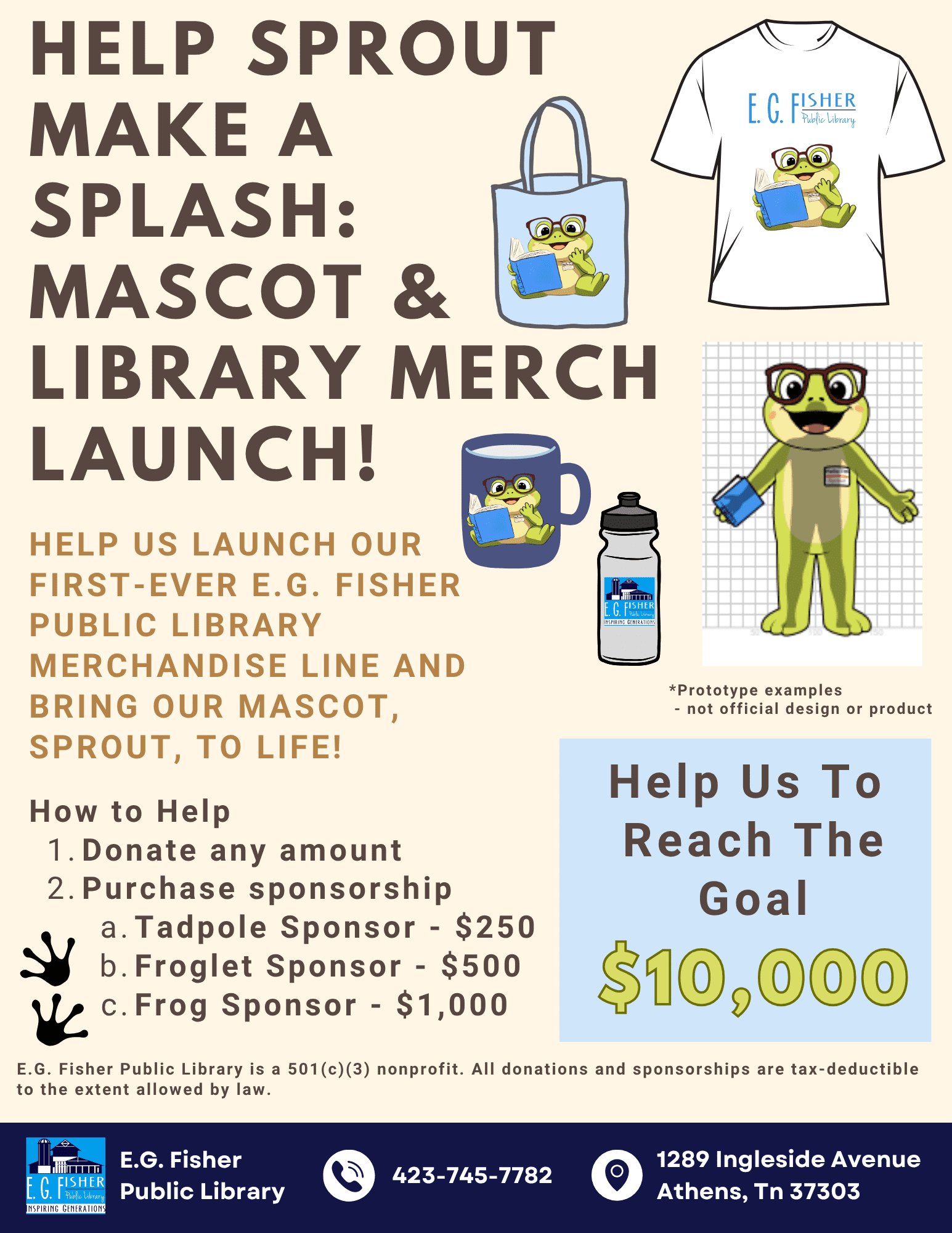
Sprout the Frog Needs Donations and Sponsors!

Sprout the Frog Needs Donations and Sponsors!

Sprout Is Making a Splash!

We’re excited to launch our first-ever library merch line featuring our mascot, Sprout the Frog—and we need your help to bring him to life!

As a nonprofit, we rely on donations and sponsorships to support special projects like this. Our goal is to raise $10,000 to fund Sprout’s mascot costume and merch including 200 t-shirts.


 How You Can Help:

  • Donate any amount — every dollar helps!

  • Become a Sponsor and get your logo on our shirts + more:

Tadpole Sponsor – $250
• Logo on shirt
• Website thank-you

 Froglet Sponsor – $500
• All above + ad in our newsletter & social media

 Frog Sponsor – $1,000
• All above + larger logo
• Library marquee shout-out
• Sprout visit (if costume is completed)

📌 All donations and sponsorships are tax-deductible.

Want to help? Contact us at or stop by the library for more info!

Your content goes here. Edit or remove this text inline or in the module Content settings. You can also style every aspect of this content in the module Design settings and even apply custom CSS to this text in the module Advanced settings.

Download Application Here!  2025 SPROUT Sponsor Letter_EGFPL